

Step 1:
Go to the Law Society’s website at www.lsnl.ca.
Step 2:
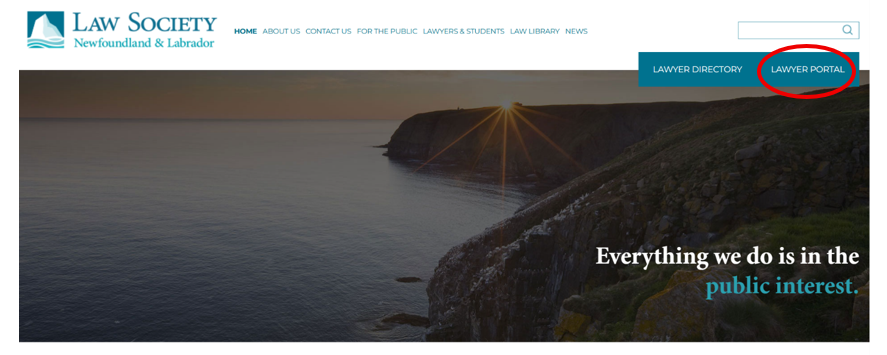
In the top right-hand corner of the homepage, click “Lawyer Portal”.
Step 3:
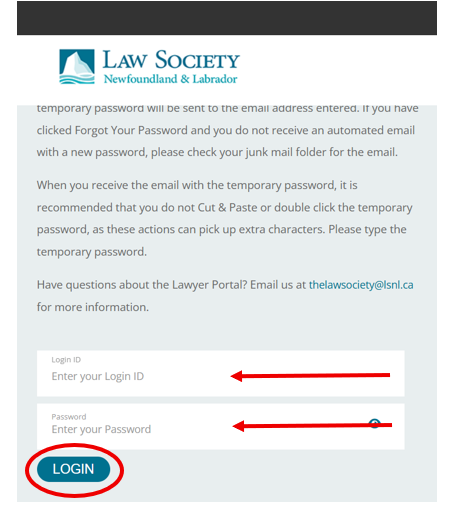
Enter your Login ID and your Password into the relevant fields. Then click “Login”.
Step 4:
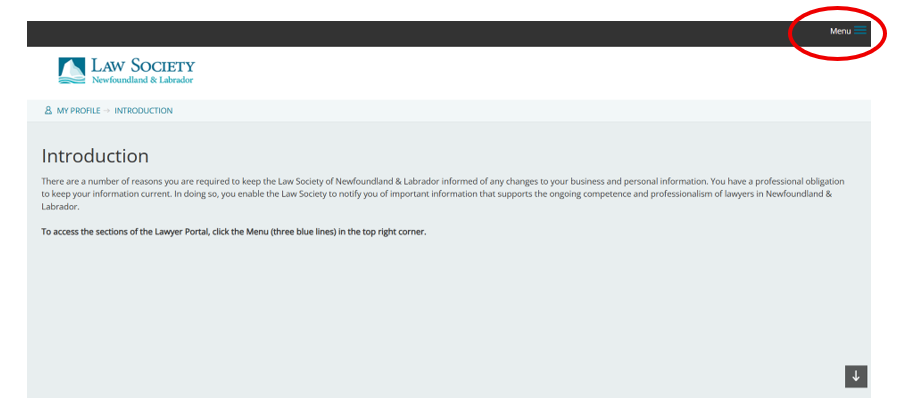
In the top right-hand corner of the page, click “Menu”.
Step 5:
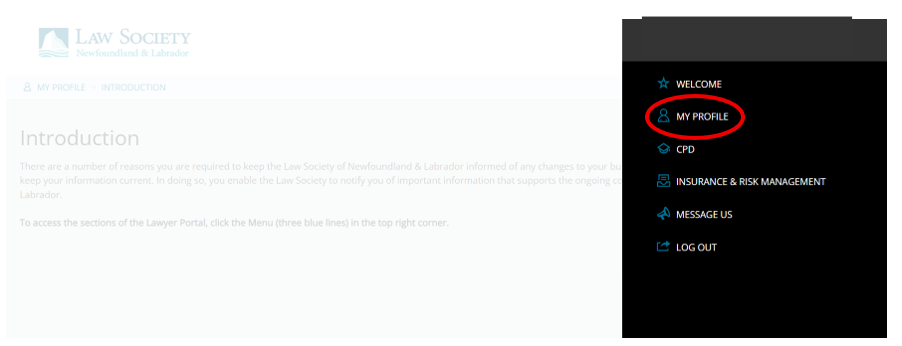
In the dropdown menu, click “My Profile”.
Step 6:
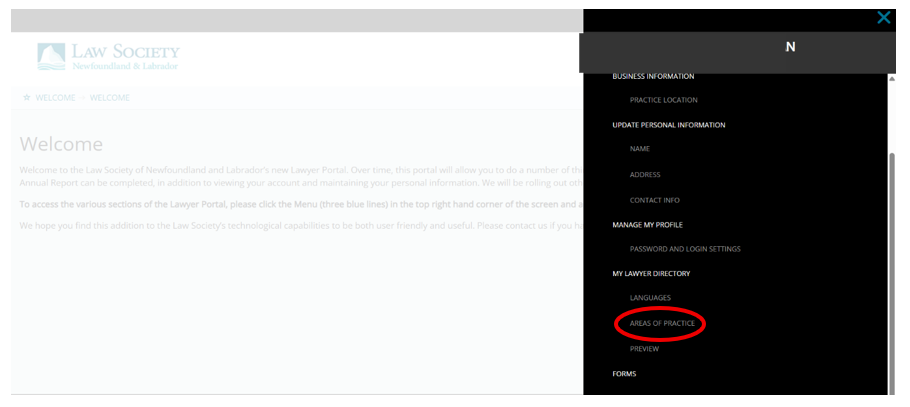
Under “My Lawyer Directory” click “Areas of Practice”.
Step 7:
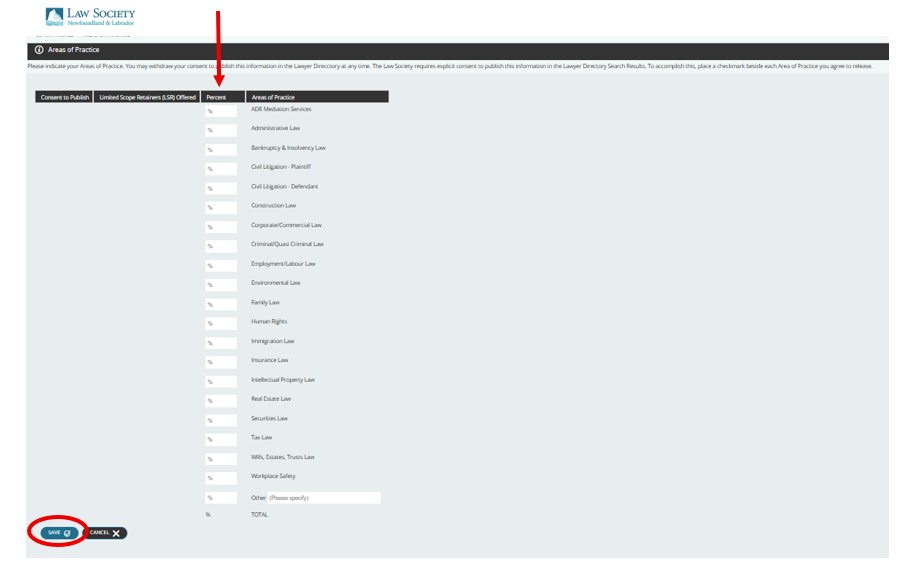
On this page specify the areas of law in which you practice by assigning a percentage to each. After entering the percentages, click “Save”. The total must equal 100% in order to save the information.
Step 8:
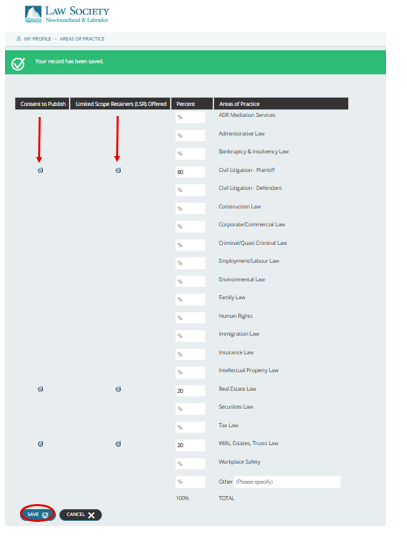
After saving your percentages, two circles will appear beside each selected area of practice. The circle on the left controls whether that area is published and searchable by the public. The circle on the right indicates whether you offer a limited scope retainer in that area. To ensure your name appears in searches within the Law Society’s Lawyer Directory, you must select the publish option. Once you have made your selections, click “Save”.
Related Topics:
Clients
Law Office Organization and Administration
Limited Scope Retainers
(Posted: 15 June 2026)